Made-for-iPhone Pioneer · Fit in NYC & Long Island

ReSound hearing aids in NYC

ReSound introduced the first Made for iPhone hearing aid and still sets the standard for seamless streaming. The current Vivia platform is one of the most discreet AI-driven RIC devices, with Bluetooth LE Audio and Auracast for public venues. We fit and verify ReSound in Midtown Manhattan and Garden City.

ViviaCurrent flagship
AuracastLE Audio ready
M&RIENatural localization
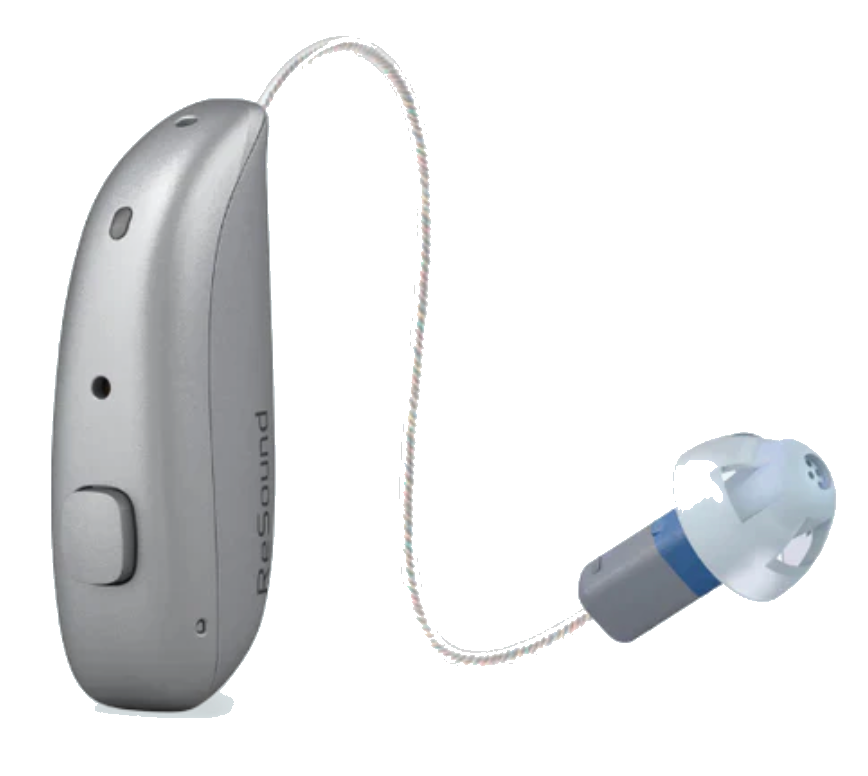
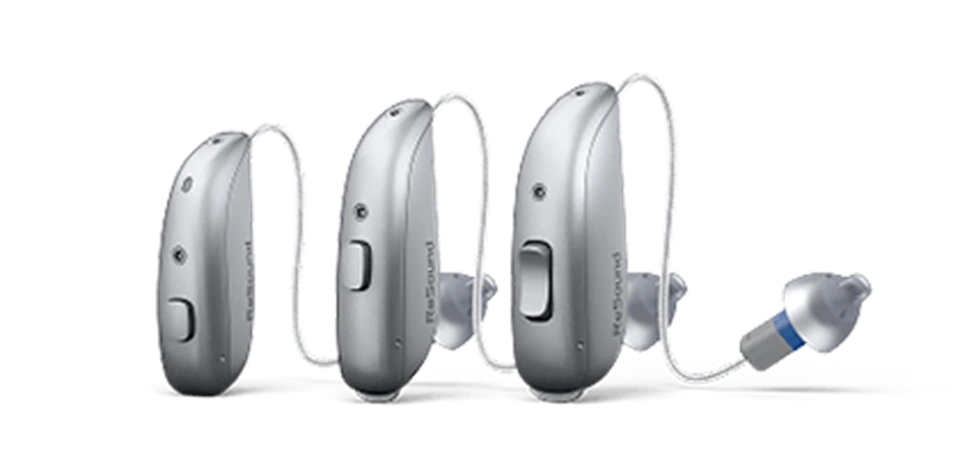
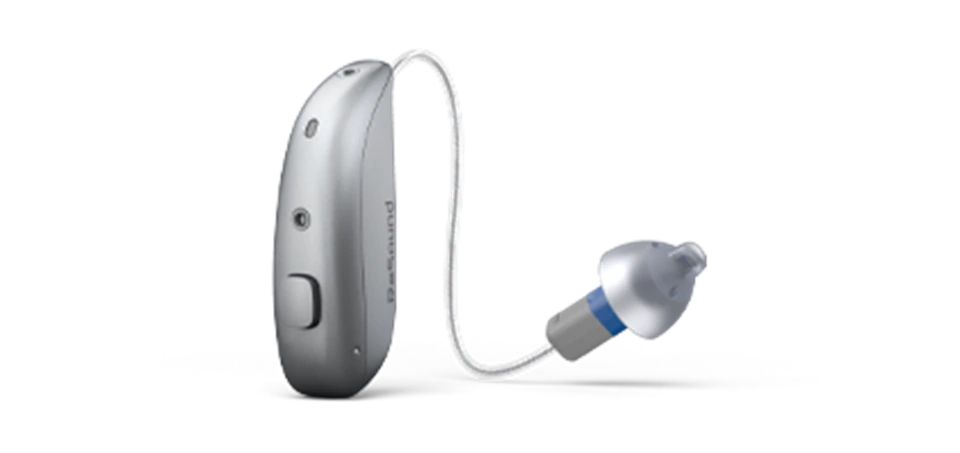
ReSound ReSound Vivia hearing aid
01 / Manufacturer Overview

ReSound at a glance

ReSound (part of GN) helped invent modern hearing-aid connectivity: it built the first Made for iPhone device, and it continues to lead on streaming and standards like Bluetooth LE Audio and Auracast. For New Yorkers who live on their phones and in transit, that streaming pedigree matters.

The current flagship is ReSound Vivia, a small AI-driven receiver-in-canal device, sitting alongside the Nexia line that brought Auracast and LE Audio to the brand. ReSound is also known for M&RIE, a design that places a microphone inside your ear for more natural localization. Device choice follows an evaluation, not a feature checklist.

Current flagship

ReSound Vivia

Newest ReSound tech, featured first. Older devices stay in a labeled support section.

Product families

What ReSound offers

ReSound Vivia, ReSound Nexia, ReSound custom and power.

Why we offer ReSound

Independent, brand-neutral

We carry ReSound because it is right for some patients, not because we are tied to it.

Evaluation first

The device follows the ears

The best ReSound depends on your audiogram, anatomy, dexterity, and where you struggle. Chosen after testing, verified with real-ear measurement.

02 / Current Product Families

Current ReSound models

Newest first. Each model lists style, candidacy, connectivity, strengths, and limitations.

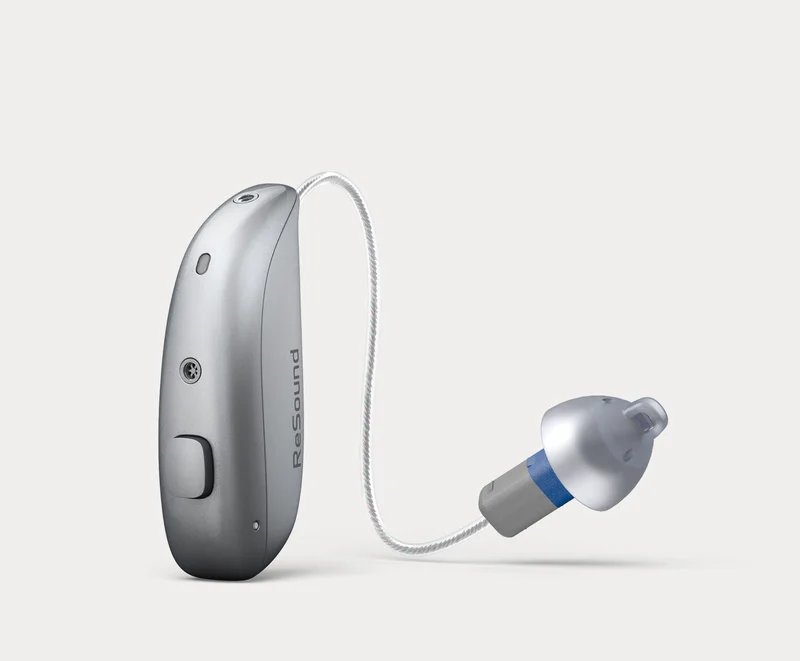
Current flagshipReSound ReSound Vivia hearing aid
01

ReSound Vivia

Receiver-in-canal (microRIE)
Flagship

Mild to severe loss for people who want a small, discreet device with strong AI and streaming.

Style
Receiver-in-canal (microRIE)
Power
Rechargeable
Tech levels
Multiple technology levels
Connectivity
Bluetooth LE Audio and Auracast, plus Made for iPhone and Android streaming
App
ReSound app
Charger
Vivia charger, portable charger available

Main strengths

  • Very small, discreet microRIE design
  • Deep neural network for speech in noise
  • Bluetooth LE Audio and Auracast (public broadcast audio)
  • Replaceable microphone filters for easy maintenance

Important limitations

  • Auracast availability depends on venues rolling it out
  • Smallest receivers fit milder losses
  • Top features at the premium tier
02

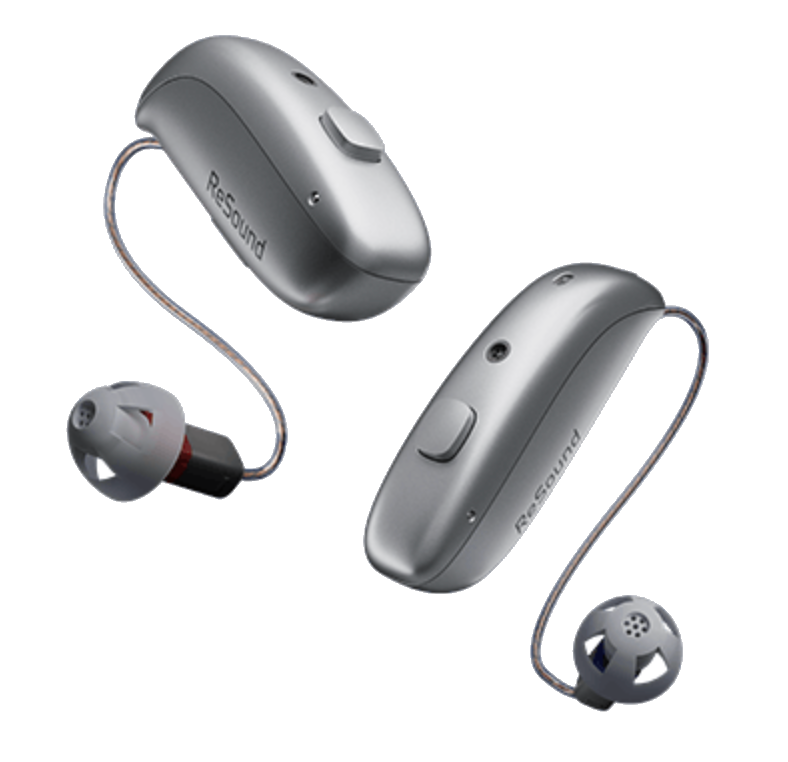
ReSound Nexia

Receiver-in-canal (RIC) and other styles
Current

People who want current LE Audio and Auracast connectivity with broad style choices.

Style
Receiver-in-canal (RIC) and other styles
Power
Rechargeable or battery, by model
Tech levels
Multiple technology levels
Connectivity
Bluetooth LE Audio, Auracast, Made for iPhone and Android
App
ReSound app
Charger
Model-specific charger

Main strengths

  • Auracast and LE Audio across a range of styles
  • Familiar ReSound streaming and app

Important limitations

  • Battery life varies with streaming
  • Some styles do not include M&RIE
03

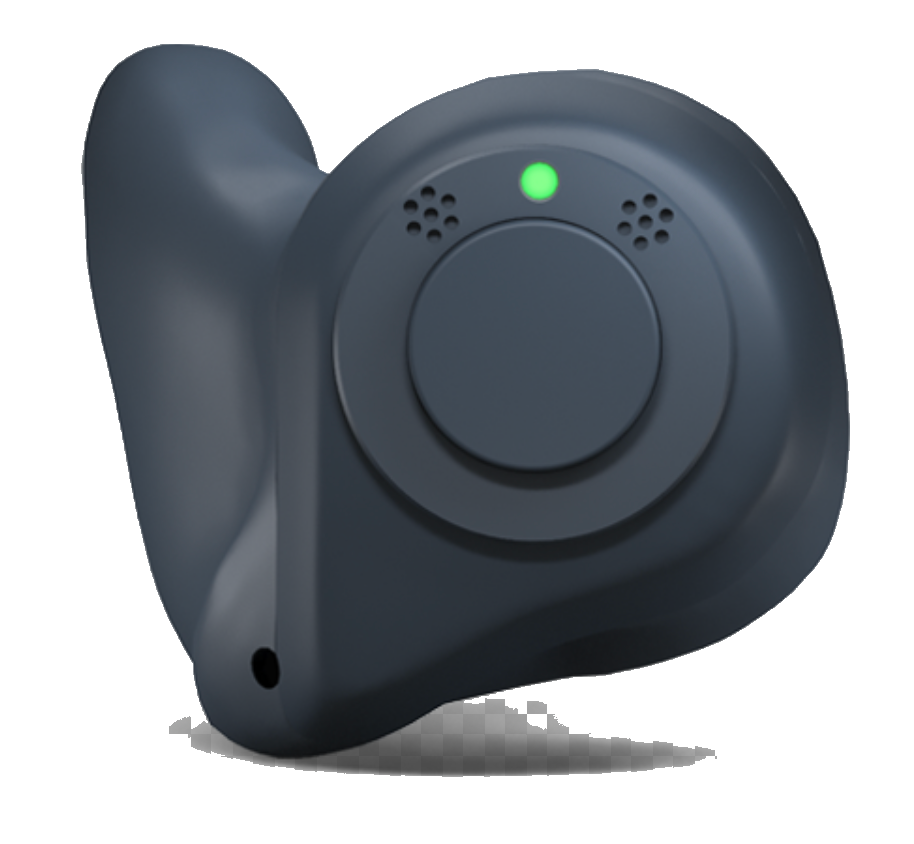
ReSound custom and power

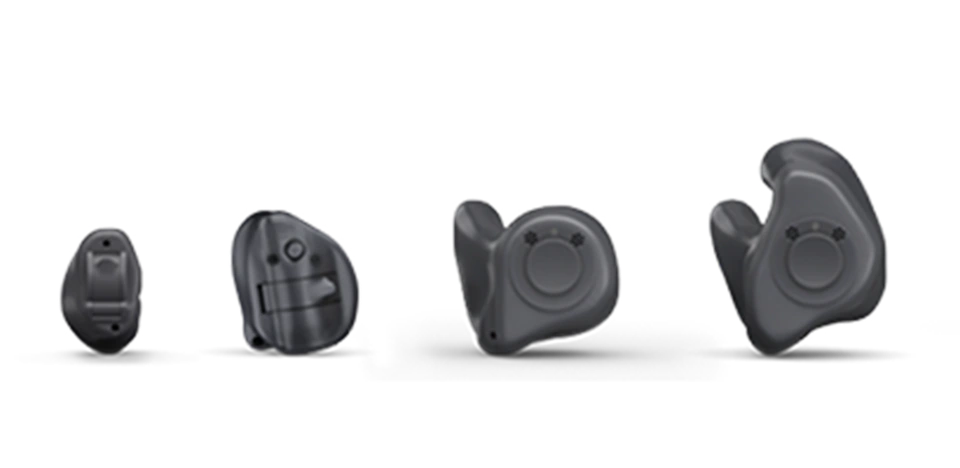
Custom in-the-ear and power BTE
Current

People who want a custom in-ear fit, or who have a severe to profound loss.

Style
Custom in-the-ear and power BTE
Power
Rechargeable or battery, by model
Tech levels
Multiple technology levels
Connectivity
Streaming on supported models
App
ReSound app
Charger
Model-specific charger

Main strengths

  • Custom in-ear options molded to your ear
  • Power styles for stronger losses

Important limitations

  • Streaming and features vary by size and model
  • Smaller custom styles fit milder losses
03 / Hearing-Aid Styles

ReSound styles in the US

Which current ReSound products come in each form factor.

RIC
Receiver-in-canal (RIC)
ReSound Vivia (microRIE), Nexia
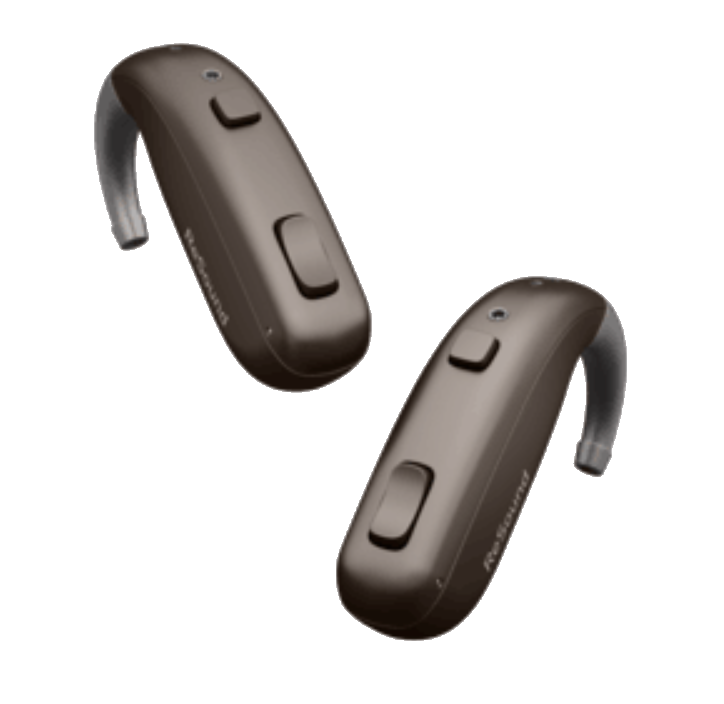
BTE
Behind-the-ear (BTE)
ReSound BTE family
ITE
In-the-ear (ITE)
ReSound custom
ITC
In-the-canal (ITC)
ReSound custom
CIC
Completely-in-canal (CIC)
ReSound custom
IIC
Invisible-in-canal (IIC)
Select custom styles
CROS
CROS / single-sided
CROS / Multi Mic-based solutions, confirm current option with us
Power
Power hearing aids
Power BTE for severe to profound loss
04 / Technology Levels

How ReSound tech levels work

ReSound uses numbered tiers within a platform. Higher tiers add automatic noise help and refinement.

Changes by level

Features that scale up

  • Speech-in-noise processing strength
  • Number of programs and environments
  • Fine-tuning detail

Shared across levels

Every tier includes

  • Bluetooth streaming and the ReSound app
  • Rechargeability on supported models
  • Core sound quality

Auracast and LE Audio connectivity come with the current platform; the tier mainly changes automatic performance in noise.

05 / Bluetooth & Phone

ReSound Bluetooth & phone support

iPhone

ReSound & iPhone

Made for iPhone streaming and app control

Android

ReSound & Android

Android streaming, including Bluetooth LE Audio on supported phones

Bluetooth

Protocol

Bluetooth LE Audio and Auracast on current models, plus Made for iPhone / Android

Streaming

Direct audio

Direct streaming of calls and audio; Auracast lets you join public broadcast audio

Calls

Hands-free

Hands-free calls on supported phones

Multi-device

Pairing

Pair and manage multiple devices

App

ReSound app

Includes: Volume, programs, and sound shaping; Find My Hearing Aids; Remote fine-tuning with your audiologist; Streaming and accessory control.

Laptop & tablet

Other devices

Many Bluetooth computers and tablets connect for audio; call support depends on the device.

Firmware & limits

Read first

LE Audio and Auracast features depend on firmware and phone support; we keep devices updated Auracast depends on venues offering it, and hands-free support depends on your phone. We confirm what works for you.

No hearing aid works with every phone. Check your model with ReSound’s official compatibility checker (support section below), or ask us before you buy.

06 / Video Instruction Center

ReSound how-to videos

Matched to ReSound devices. Tap to play; written steps appear under each. No autoplay, loads only when tapped.

Change the Wax Filter

Change the filter about once a month, or sooner if your hearing aid sounds weak or muffled.

Change the Microphone Filters (Vivia)

How to change the microphone filters on your Vivia microRIE hearing aids.

Insert & Remove Your Custom Hearing Aids

How to put in and take out your ReSound custom in-the-ear hearing aids.

Clean Your Custom Hearing Aids

Daily cleaning keeps your ReSound custom hearing aids sounding clear.

Use the Push Button

The push button changes volume and programs on your ReSound custom hearing aids.

Change the Battery (CIC Models)

How to change the disposable battery in your ReSound completely-in-canal hearing aid.

Pair to Your iPhone or iPad

Connect your ReSound hearing aids to your Apple device with the Smart 3D app.

Adjust Volume in the App

Make sounds louder or softer right from the ReSound Smart app on your phone.

Adjust Accessory Volume in the App

Control the volume of your TV streamer or microphone from the Smart 3D app.

All ReSound how-to videos (16)

07 / Daily Care & Maintenance

Caring for your ReSound aids

ReSound-specific cleaning, wax-filter, and storage guidance. Not all brands use the same systems, so follow the steps for your device.

Wipe nightly, store dry or in the charger, and keep away from moisture, cosmetics, and heat.

Use a soft, dry cloth or tissue. Never run hearing aids under water or use alcohol, solvents, or wipes unless your audiologist recommends a specific product.

ReSound RIC devices use replaceable wax guards; Vivia also has replaceable microphone filters. Change wax guards about monthly or when sound weakens.

RIC domes are replaced regularly. Custom shells have their own filters and need routine cleaning. If you are not sure which filter or dome your device uses, bring it to Pinnacle Audiology and we will show you.

For in-the-ear and custom devices, gently brush the microphone and receiver openings and wipe the shell daily. Earmolds can be cleaned per your audiologist’s instructions. Do not push hard objects into any opening.

Store devices in the charger or a dry case overnight, away from bathrooms and heat. For long storage, remove disposable batteries. When traveling, bring your charger and a backup, and keep devices in your carry-on, not checked luggage.

Keep the charger clean and dry and make sure the contacts are free of debris so devices charge reliably. Use only the charger supplied for your model.

Put your hearing aids in after applying hair spray, sunscreen, lotions, or makeup, as these can clog microphones and filters. Keep devices out of reach of dogs, which are strongly attracted to them.

Do not open the hearing-aid shell, attempt internal repairs, or expose devices to water, heat, or chemicals. If sound stays weak, distorted, or absent after changing the wax filter and dome, contact Pinnacle Audiology at 646-436-7590.

08 / Charging & Battery

Charging your ReSound aids

How charging works, expected runtime, and what to do if a device will not charge. Battery figures are ReSound’s and vary with streaming.

Place each hearing aid in its slot in the Model-specific ReSound charger so the charging contacts line up. A light shows charging has started and usually turns solid or changes color when complete. A full charge typically takes around three hours; a short charge adds hours of wear.

ReSound reports all-day runtime on a full charge; streaming reduces it. Streaming phone calls, music, or TV audio uses more power, so heavy-streaming days are shorter.

Portable chargers are available for travel. Bring your charger when you travel and top up whenever you can. For long-term storage, keep devices cool and dry.

Make sure the device is seated correctly and the contacts on both the device and charger are clean and dry. Confirm the charger is powered. If it still will not charge after cleaning the contacts, contact Pinnacle Audiology. Do not force it or open the device.

Most current models are rechargeable; some custom and power styles use disposable batteries. For battery models, let a new zinc-air battery sit for about a minute after removing the sticker before closing the door, and store spares away from coins and keys.

09 / Troubleshooting

ReSound troubleshooting

Patient-safe steps for common issues. These never involve opening the device.

  • Confirm the device is charged or the battery is fresh.
  • Change the wax filter and check the dome or shell opening for blockage.
  • Make sure you are on the right program and volume.
  • If still silent, contact Pinnacle Audiology.

Most often a wax-clogged filter or dome, or moisture. Change the wax filter, check the dome, and let the device dry overnight in its case or a drying kit. If it persists, we will inspect it.

Reinsert the hearing aid so it seats fully and check that the dome or earmold fits snugly. Persistent feedback can mean a loose fit, a wax-blocked ear, or a dome that needs resizing, all of which we can correct.

Charge both fully, change the wax filter on the quiet side, and confirm it is not simply turned down. If one side stays dead, it may need service.

Clean the contacts on the device and charger, reseat the hearing aids, and confirm the charger has power. If an error light persists, contact us rather than forcing the device.

Open the ReSound app app, make sure Bluetooth is on, and restart your phone and hearing aids. Forgetting and re-pairing the devices in your phone’s Bluetooth settings often resolves repeated dropouts. The manufacturer Bluetooth line below can help with phone-side settings.

Restart both hearing aids and your phone, then re-pair. If audio still routes to one ear, check the app’s streaming and balance settings. We can also adjust this for you.

Remove (forget) the hearing aids from the old phone’s Bluetooth list first, then pair the new phone using the ReSound app app’s setup steps. The video library above shows pairing for common phones.

Change the wax filter and clean the dome or shell opening. Never push tools into the receiver. If the ear itself feels blocked, we can check for and remove earwax in office.

If devices get wet or you have been sweating heavily, dry them overnight in a case or drying kit, not a microwave or oven. If sound does not return, contact us.

Many ReSound models include a Find My Hearing Aids feature in the ReSound app app that shows where the devices were last connected. Check there first, then call us.

Patient-safe steps only. Never open the hearing-aid shell or attempt internal repairs. If these do not help, contact Pinnacle Audiology at 646-436-7590.

10 / Accessories

Official ReSound accessories

Current, officially compatible ReSound accessories.

Accessory

TV Streamer

Streams TV audio straight to your ReSound hearing aids at your own volume.

Accessory

Multi Mic

A remote and table microphone that sends a speaker’s voice to your hearing aids; great for restaurants and groups.

By model

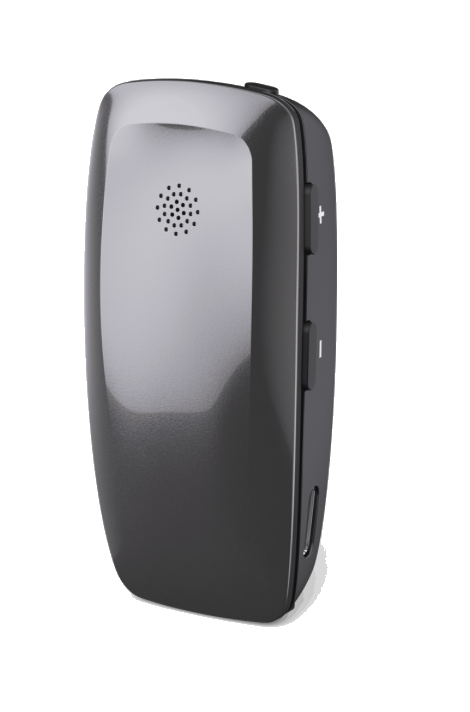
Phone Clip+ / remote

Connects older models to phones for calls and audio, or controls volume and programs.

Accessory

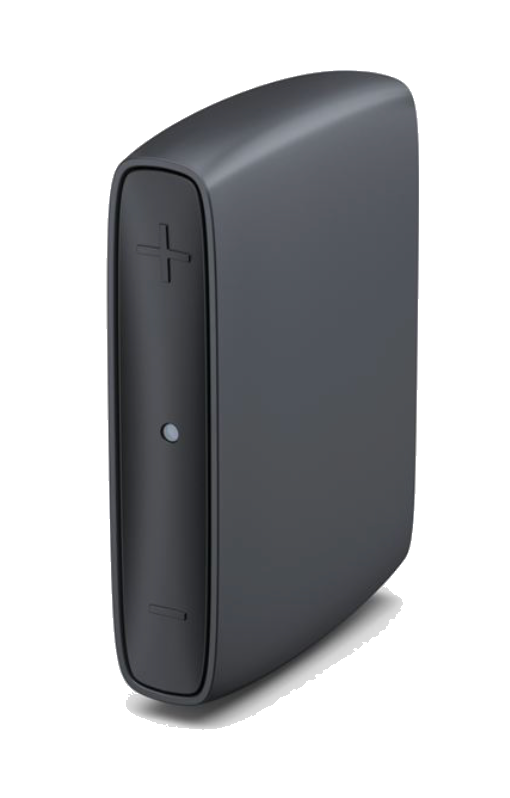
ReSound chargers

Desktop and portable charging options.

Compatibility varies by model. We confirm which accessories work with your specific ReSound device.

11 / Official Manufacturer Support

ReSound support directory

Use these for phone-side help. For anything touching how your aids sound or fit, come to Pinnacle.

ReSound Bluetooth & app support

Manufacturer consumer line (US):

Hours and time zone are on the official ReSound site. Verified June 24, 2026.

Manufacturer support can assist with app installation, compatible phones, Bluetooth pairing, streaming, and accessories. Changes to hearing-aid programming, amplification, physical fit, feedback, comfort, or prescribed settings should be handled by your audiologist.

12 / Pinnacle Clinical Perspective

Is ReSound right for you?

A balanced view. ReSound is excellent for the right patient; here is what we weigh, and we are honest when another brand fits better.

01
Connectivity
If seamless phone streaming and future-ready Auracast matter to you, ReSound is a natural fit.
02
Discretion
The Vivia microRIE is among the smallest current devices we fit, good for cosmetic priorities at milder losses.
03
Natural localization
ReSound’s M&RIE design, where available, can make sound feel like it is coming from the right direction.
04
Dexterity
Tiny in-ear and custom styles need steadier hands; we factor this in.
05
Ear anatomy
Canal shape and size affect which ReSound styles fit, seal, and feed back the least.
06
When another brand fits better
If your needs point elsewhere, we will tell you. We are brand-neutral.
07
Why verification matters
A device only works when its programming is verified in your ear with real-ear measurement.
08
Why reviews cannot decide
Reviews reflect other people’s ears and lives, not your audiogram.
13 / FAQ

ReSound aids: your questions

The current flagship is ReSound Vivia, a small AI-driven microRIE, alongside the Nexia line. Both support Bluetooth LE Audio and Auracast.

A higher-tier ReSound Vivia uses a deep neural network for speech in noise; adding the Multi Mic helps in restaurants and meetings.

Yes. ReSound pioneered Made for iPhone, and current models stream from iPhone and use the ReSound app.

Yes, on supported Android phones, including Bluetooth LE Audio devices. Hands-free support depends on the phone.

Many Bluetooth computers and tablets connect for audio. Call support depends on the device.

Most current ReSound models are rechargeable. Some custom and power styles still use disposable batteries.

ReSound reports all-day runtime on a full charge. Streaming and Auracast use shorten the day.

Yes, ReSound offers custom in-the-ear styles molded from an impression of your ear.

The smallest custom in-canal styles are very discreet, and the Vivia microRIE is small behind the ear. The right choice depends on your hearing and ear.

ReSound supports solutions for single-sided hearing; we confirm the current CROS or Multi Mic-based option that fits your situation.

Yes. ReSound devices can include a sound generator used within a tinnitus management plan, which we customize.

It depends on the model and technology level. We provide a clear quote after your evaluation and verify any insurance benefit.

Yes, independently, in Midtown Manhattan and Garden City, with real-ear verification and at-home visits across NYC and Long Island.

Usually yes. We can reprogram, verify, and service ReSound devices brought from another provider.

14 / Previous Generations

Still supported for existing patients

Already wear an older ReSound? We service, reprogram, and repair previous generations, listed so current and older tech are never confused.

Previous generation

ReSound OMNIA / ONE

Earlier ReSound platforms, including ONE with M&RIE. Fully supported for existing Pinnacle patients; we service, reprogram, and repair them.

Independence statement

Pinnacle Audiology is an independent audiology practice and is not owned by any hearing-aid manufacturer. Recommendations are based on the patient’s hearing, communication needs, preferences, anatomy, and lifestyle.

Freshness & maintenance

Product information last reviewed: June 24, 2026.

Models, features, accessories, compatibility, and availability may change. Pinnacle Audiology will confirm current options during your consultation.

Book in NYC or Long Island

Find the right ReSound, the right way

The best device starts with a real evaluation and a real-ear verified fitting, in Midtown Manhattan, Garden City, or at home across NYC and Long Island.